










绘制第一幅 TikZ 图像 [LaTeX]
1348 words
7 minutes
绘制第一幅 TikZ 图像 [LaTeX]

本节开始我们来学习如何在 中通过 TikZ 包来绘图,所参考的教材是 Packt 出版的《LATEX Graphics with TikZ》。
使用 tikzpicture 环境
在绘制我们的第一幅 TikZ 图像前,首先绘制一个带有点线的坐标系,这样可以帮助我们后续定位图像。在绘制完成后再将坐标系去掉。
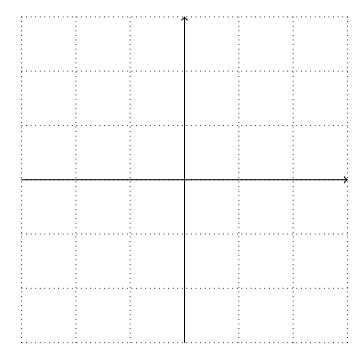
使用坐标系
在笛卡尔坐标系中绘图
我们在坐标中间绘制元素,-- 代表直线,下述命令在 (2,-2) 和 (2,2) 间绘制一条直线:
\draw (2,-2) -- (2,2);可以再加入更多的线来绘制一个正方形:
% circle 将 path 闭合,让最后一段线段返回起点\draw[very thick, blue] (-2,-2) -- (-2,2) -- (2,2) -- (2,-2) -- cycle;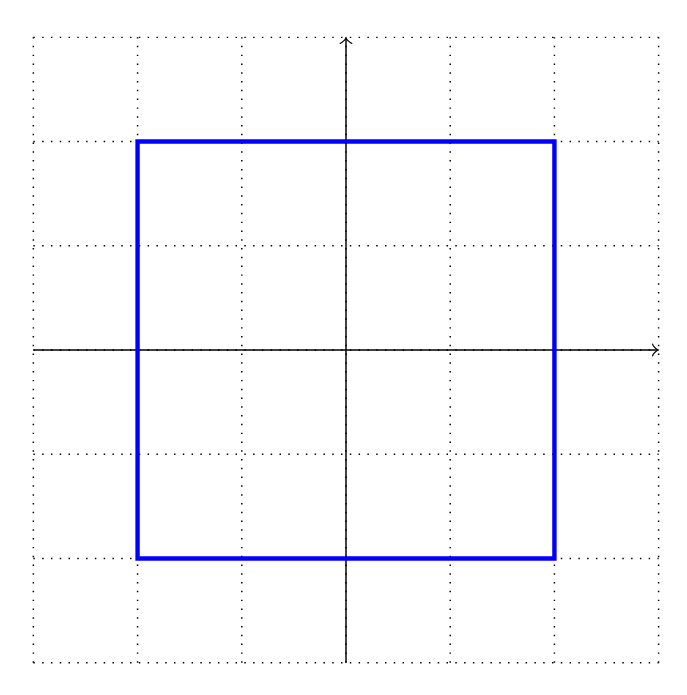
也可绘制圆:
% circle 前是圆心,circle 后是半径\draw[very thick, blue] (-2,-2) circle (1) (-2,2) circle (1) (2,2) circle (1) (2,-2) circle (1);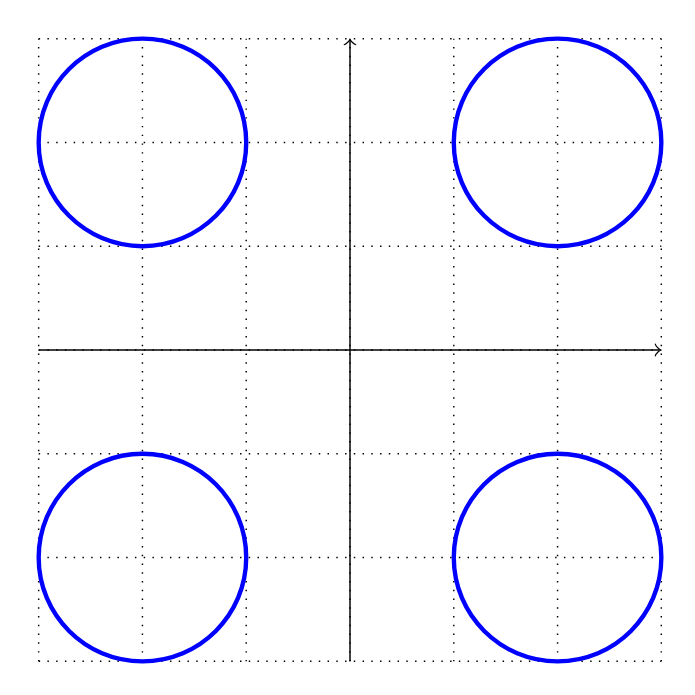
在极坐标系中绘图
在极坐标系中,我们通过到原点的距离和与 轴的夹角来定义一个点:
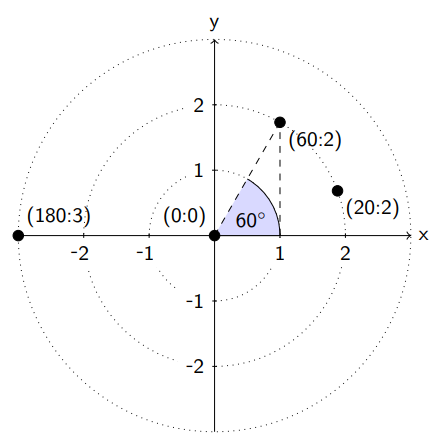
如图,我们在坐标 (60:2) 处有一个点,它与原点的距离是 ,与 轴成 角。TikZ 通过 : 来分辨极坐标,也就是 (angle:distance)。
定义了极坐标后,我们绘制一个正六边形就简单了:
\draw[very thick, blue] (0:2) -- (60:2) -- (120:2) -- (180:2) --(240:2) -- (300:2) -- cycle;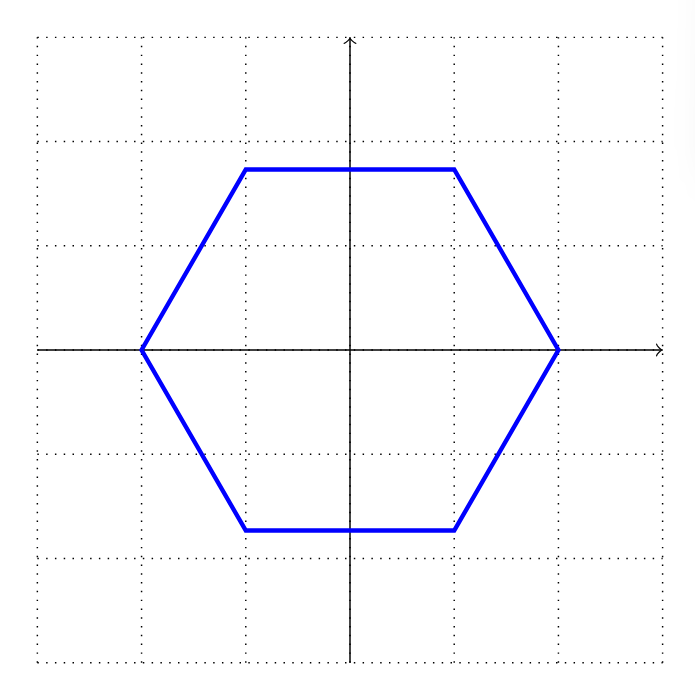
绘制三维坐标
如果我们想要绘制立方体、正方形或空间图形,可以在绘图平面上使用投影。其中最常用的是等轴测投影 (isometric projection)。下面给出一个完整的例子:
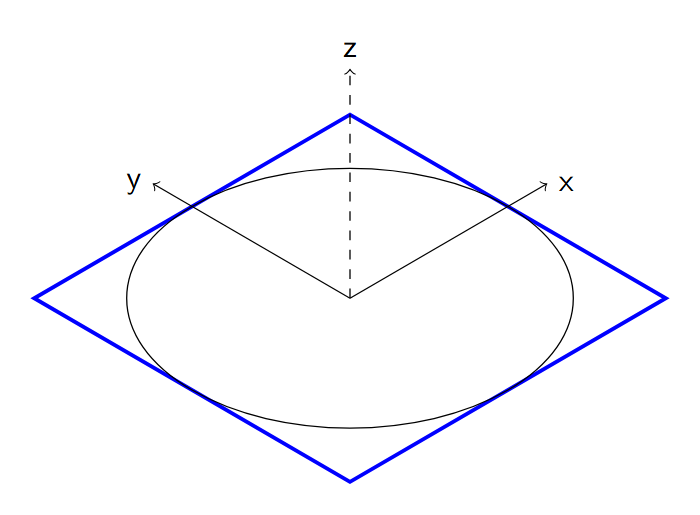
使用相对坐标
我们可以使用 + (4,2) 来表示坐标在 轴前进 个单位,在 轴上前进 个单位。通过下面的代码来绘制 图 7:
\draw[very thick, blue] (-3,-1) -- +(1,0) -- +(2,2) -- +(4,2) -- +(5,0) -- +(6,0);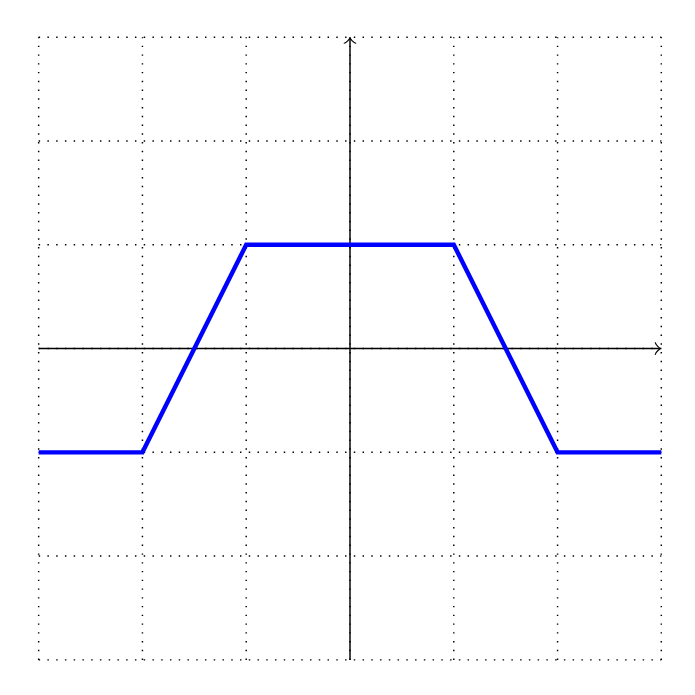
可以看出,所有的坐标都是相对于最开始的那个点的。幸运的是,TikZ 提供了另一种语法,通过 ++ 将相对坐标的参考坐标改为上一个坐标:
\draw[very thick, blue] (-3,-1) -- ++(1,0) -- ++(1,2) -- ++(2,0) -- ++(1,-2) -- ++(1,0);绘制几何图形
在进阶到高级绘图前,首先对基础绘图规则做一个精简总结:
- 直线:
-- (x,y)从当前坐标画一条线到(x,y) - 矩形:
rectangle (x,y)绘制一个矩形,当前坐标为一个角,对角是(x,y) - 网格:与
rectangle类似,只是内部填充了线条 - 圆:
circle (r)也可写作circle[radius=r] - 椭圆:
ellipse [x radius = rx, y radius = ry]绘制一个水平半径为rx,垂直半径为ry的椭圆,简写为ellipse (rx and ry) - 弧:
arc[start angle=a, end angle=b, radius=r]以当前点为圆心、半径为 ,从角度 画至角度 。其简写形式为arc(a:b:r);arc[start angle=a, end angle=b, x radius=rx, y radius=ry]用于绘制一段椭圆弧:以当前点为中心,横轴半径为rx、纵轴半径为ry,从角度a画至角度b。对应的简写语法为arc(a:b:rx and ry)
下面来画一个笑脸图像:
\draw (0,0) circle [radius=2];\draw (-0.5,0.5,0) ellipse [x radius=0.2, y radius=0.4];\draw (0.5,0.5) ellipse [x radius=0.2, y radius=0.4];\draw (-1,-1) arc [start angle=185, end angle=355, x radius=1, y radius=0.5];\draw (-3,-3) rectangle (3,3);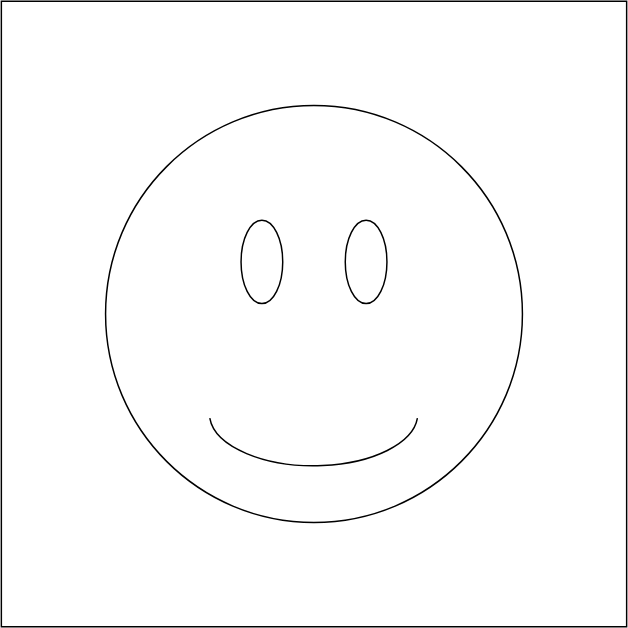
填充颜色
我们可以通过 fill= 来填充颜色:
\draw[fill=yellow] (0,0) circle [radius=2];\draw[fill=black] (-0.5,0.5,0) ellipse [x radius=0.2, y radius=0.4];\draw[fill=black] (0.5,0.5) ellipse [x radius=0.2, y radius=0.4];\draw[very thick] (-1,-1) arc [start angle=185, end angle=355, x radius=1, y radius=0.5];\draw (-3,-3) rectangle (3,3);
TikZ 还有一种填充方式称为渐变着色。它不再使用单一纯色填充,而是让区域内的颜色平滑过渡。我们绘制笑脸图形时,选用预设的球形渐变样式来营造立体效果:
\draw[shading=ball, ball color=yellow] (0,0) circle [radius=2];\draw[shading=ball, ball color=black] (-0.5,0.5,0) ellipse [x radius=0.2, y radius=0.4];\draw[shading=ball, ball color=black] (0.5,0.5) ellipse [x radius=0.2, y radius=0.4];\draw[very thick] (-1,-1) arc [start angle=185, end angle=355, x radius=1, y radius=0.5];\draw (-3,-3) rectangle (3,3);
Comments
随缘分享喵
Music
No playing
0:00 0:00
156
6
9
2,308,020
0 days
0 days ago